01WORKTREES
Every task isolated.
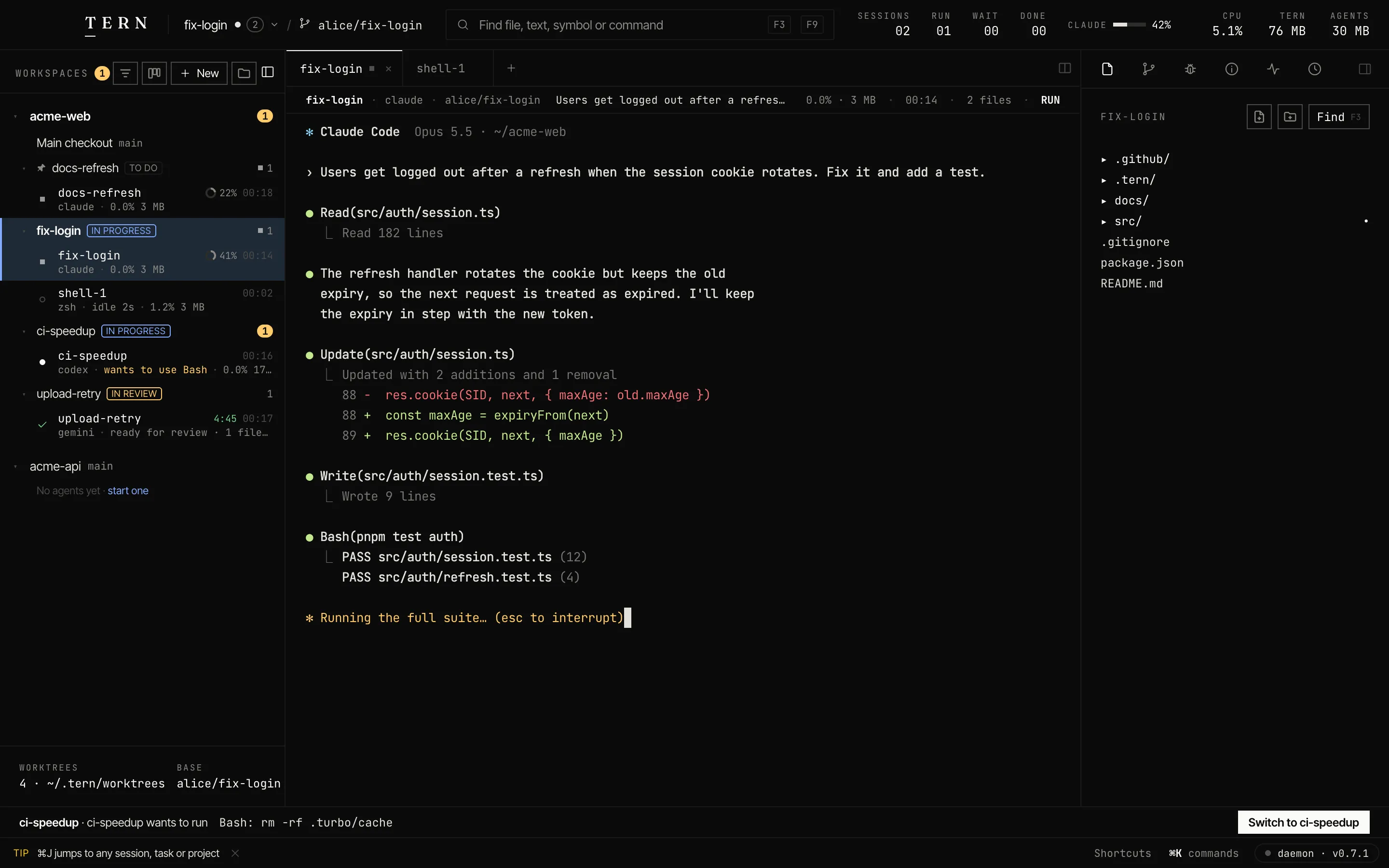
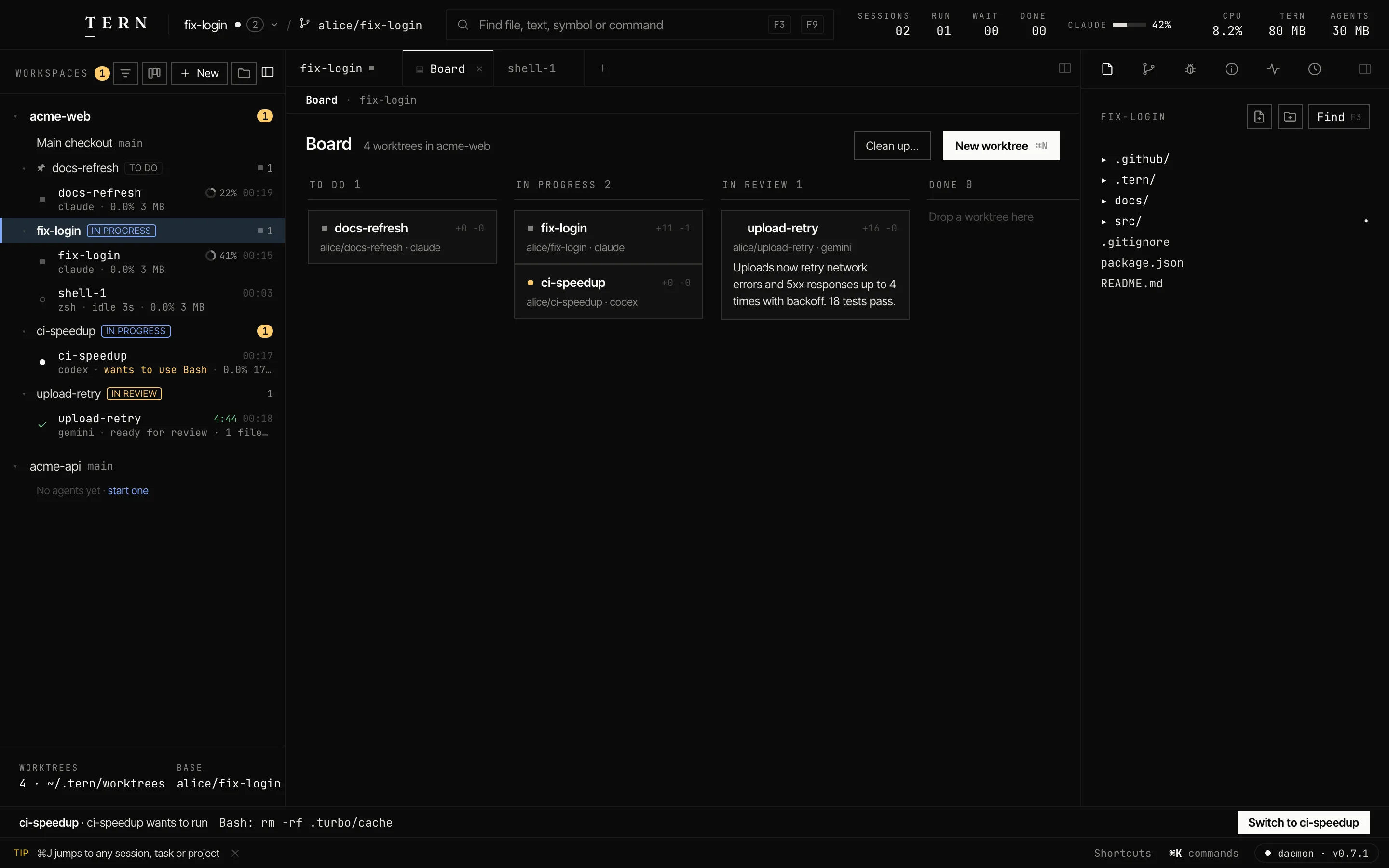
Each task gets its own worktree and branch, named by you or by your prompt. No stashing, no branch juggling.
// the agent IDE for parallel work
Prompt a fleet of coding agents, each in its own git worktree. Review every change in one queue. Ship what's good, from a native app that stays light.
brew install --cask shubham-1994/tern/tern-desktopbrew install shubham-1994/tern/terncurl -fsSL https://tern.build/install.sh | shmacOS 12+ · Apple Silicon and Intel · CLI for macOS, Linux and FreeBSD
 T E R N  │  acme-web / ⎇ main                              SESSIONS 08  RUN 03  WAIT 01  DONE 03   ● daemon · v0.7.1
──────────────────────────────────────────────────────────────────────────────────────────────────────────────────────
 Agents M-1   Files M-2   Git M-3 │ 1 docs-refresh ■ │ 2 upload-retry │ 3 ci-speedup ● │ 4 fix-login ■ │ 5 shell-1 │ 6
──────────────────────────────────│───────────────────────────────────────────────────────────────────────────────────
 8 SESSIONS · 1 NEEDS YOU         │  SESSION 01 · CLAUDE · ALICE/DOCS-REFRESH CPU    MEM      ELAPSED   FILES  STATUS
                                  │  docs-refresh                             0.0%   3M       00:36     00     RUN
──────────────────────────────────│  Update the setup section of the docs for pnpm 10 and the new README.
  > docs-refresh          [■ RUN] │───────────────────────────────────────────────────────────────────────────────────
    claude ·                      │✻ Claude Code  Opus 5.5 · ~/acme-web
    ▁▁▁▁▁▁▁▁▁▁▁▁▁▁▁▁▁▁▁█▁▁▁▁▁▁▁   │
──────────────────────────────────│› Update the setup section of the docs for pnpm 10 and the new README.
 02 upload-retry           ✓ DONE │
    gemini · ready for review · … │● Read(README.md)
    ▁▁▁▁▁▁▁▁▁▁▁▁▁█▁▁▁▁▁▁▁ +16 −0  │  ⎿  Read 96 lines
──────────────────────────────────│
 03 ci-speedup              WAIT  │● Search(pattern: "pnpm (dev|build)", path: "docs")
    codex · wants to use Bash     │  ⎿  Found 7 files
    ▁▁▁▁▁▁▁▁▁▁▁▁▁▁▁▁▁▁▁▁█▁▁▁▁▁▁   │
──────────────────────────────────│✻ Rewriting the setup section… (esc to interrupt)
 04 fix-login             [■ RUN] │
    claude ·                      │
    ▁▁▁▁▁▁▁▁▁▁▁▁▁▁█▁▁▁▁▁▁ +11 −1  │
──────────────────────────────────│
 05 shell-1                  IDLE │
    zsh · idle 20s                │
    ▁▁▁▁▁▁▁▁▁▁▁▁▁▁▁▁▁▁▁▁▁▁█▁▁▁▄   │
──────────────────────────────────│───────────────────────────────────────────────────────────────────────────────────
 06 dark-mode-adbe.… •     ✓ DONE │  › typing goes to docs-refresh · paste works · ^B for tern keys            claude
 APPROVAL │ ci-speedup · codex wants to run  Bash: rm -rf .turbo/c…  View ^B v   Reject ^B r   Always ^B a   Allow F5
 1 Help │ 2 New │ 3 Find │ 4 Diff │ 5 Approve │ 6 Next │ 7 Review │ 8 Kill │ 9 Symbol │ 10 Detach │         ^B prefix
// small on purpose
holds every session, survives the window
the whole Mac app, Apple Silicon and Intel
one static binary, terminal UI included
no Electron, no Node; just git
Measured on an Apple Silicon Mac with v0.7.1. How we measure →
// workflows
Each task gets its own worktree and branch, named by you or by your prompt. No stashing, no branch juggling.
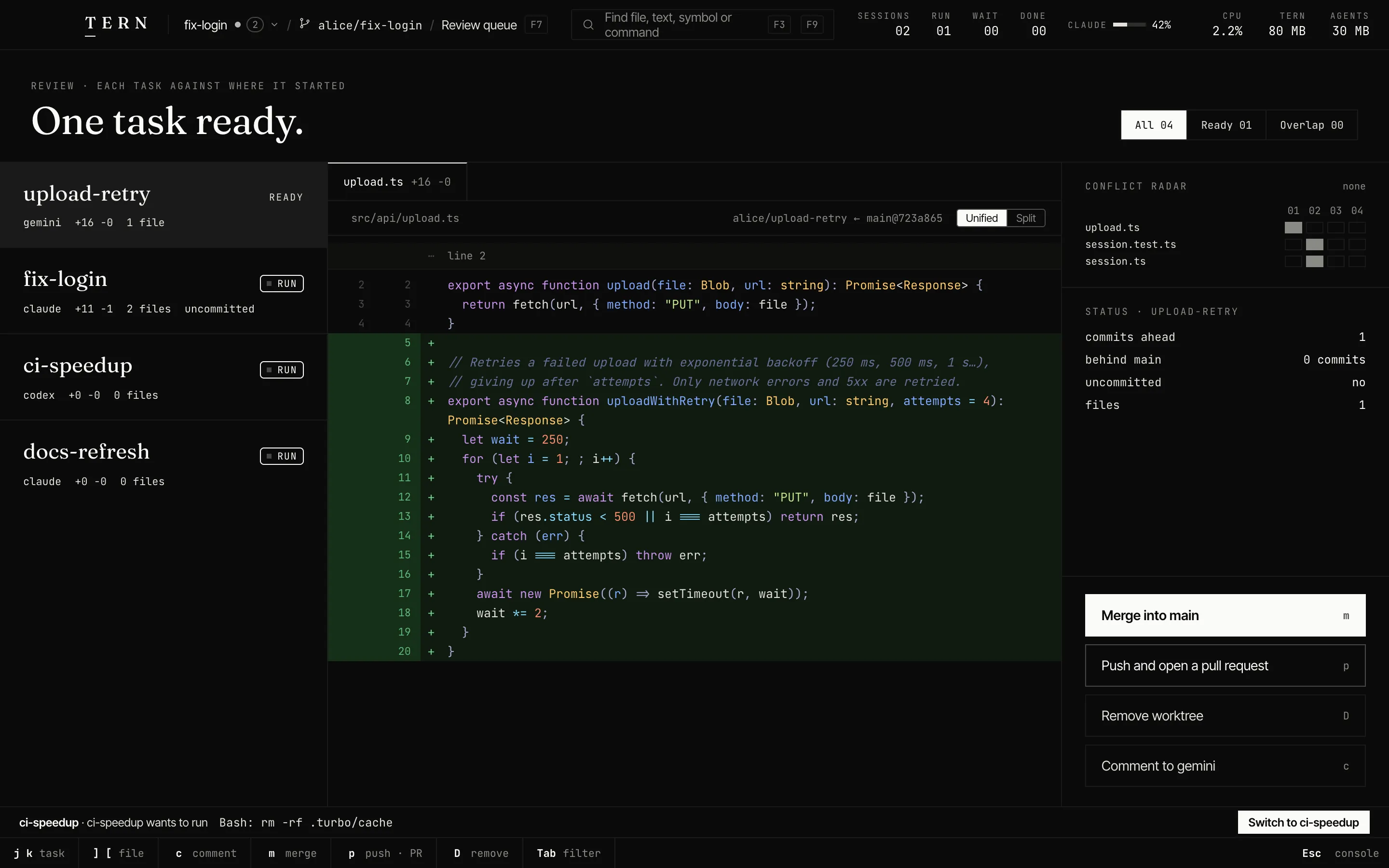
Full diffs, comments sent back to the agent, merge or PR, and a radar for tasks that collide.
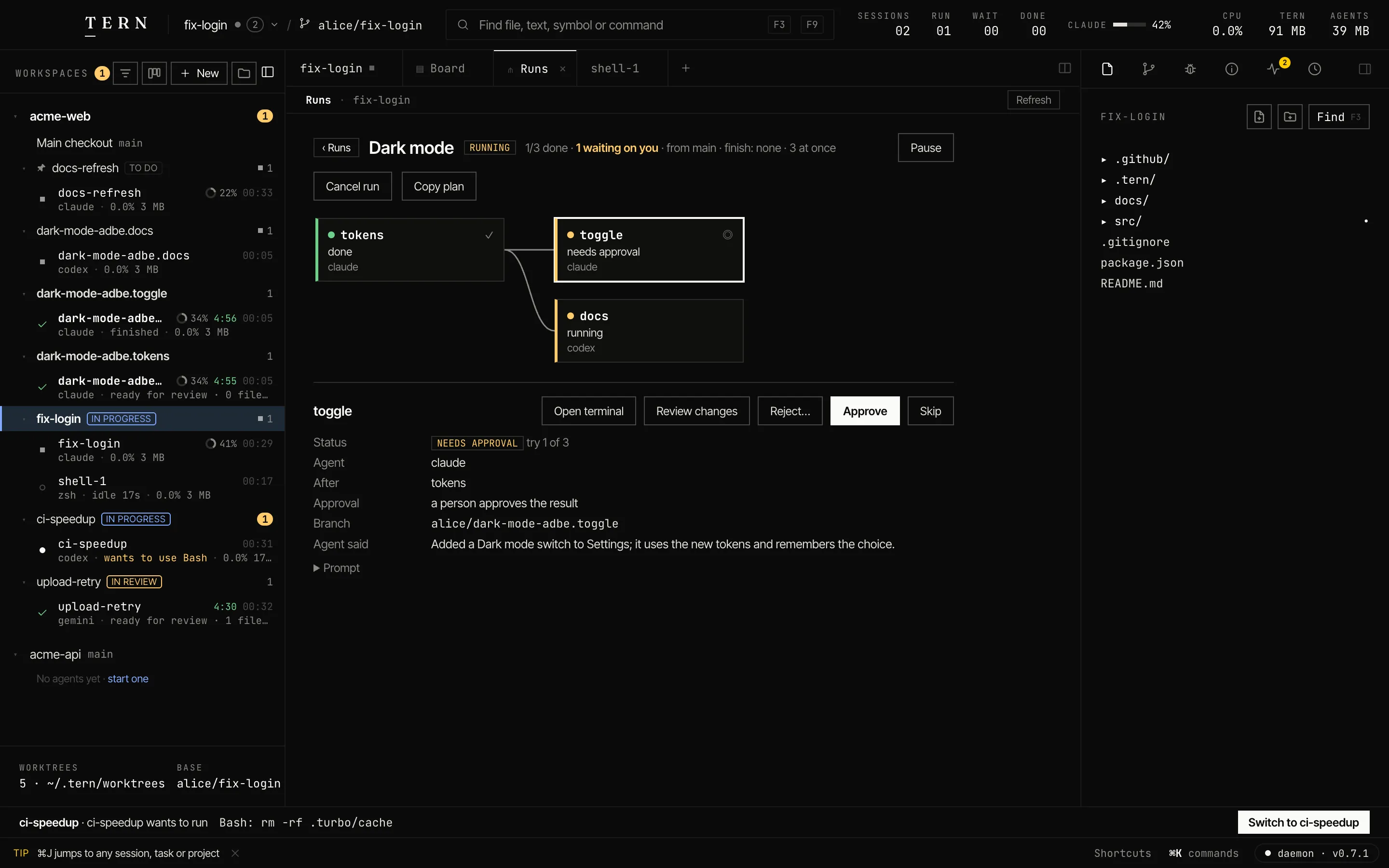
Steps start as soon as the steps they need are done. Each can have a check, a retry limit and an approval.
The Mac app and the terminal UI show the same live sessions. Close either; the agents keep going.
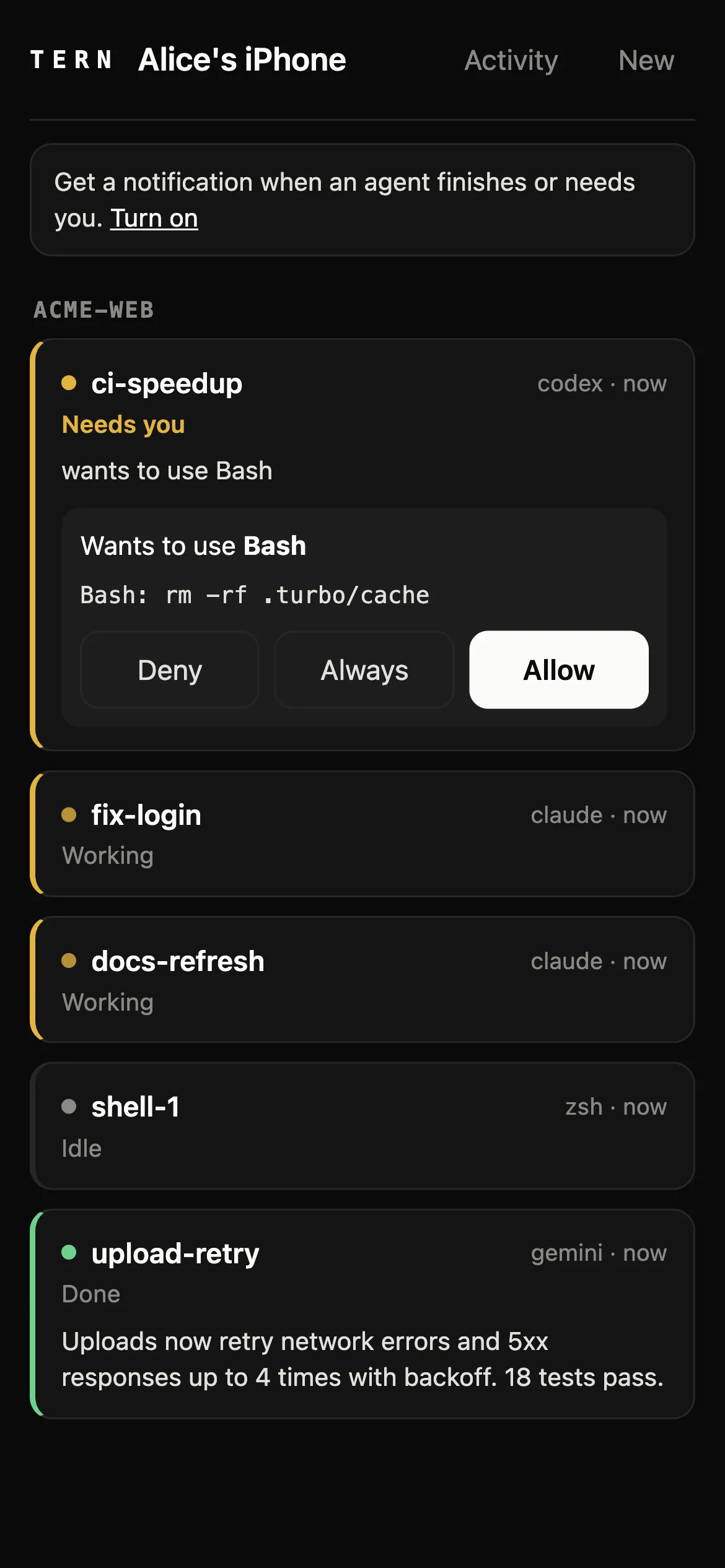
Pair a phone over Tailscale, your LAN, or a Tern Relay you run (end-to-end encrypted). There are no Tern servers.
tern ssh devbox runs Tern there and drives it from here.
// agents
16 agent CLIs work out of the box, with the subscriptions you already have. Claude Code and Codex report their state through hooks; the others are read from their terminal.
// worktrees
// review
tern <PR URL> checks out any pull request in its own worktree to review.// your phone
// compared
| Capability | Tern | Electron agent IDEs | A terminal and tmux |
|---|---|---|---|
| Native app, no Electron | yes | no | n/a |
| A terminal UI for the same sessions | yes | no | yes |
| Agents survive closing the window | yes (a daemon) | varies | yes |
| A worktree per task, made for you | yes | yes | by hand |
| Review queue, comments back to the agent | yes | varies | no |
| Plans of agent steps (runs) | yes | rare | no |
| Phone access with no vendor server | yes | varies | no |
| Remote machines over SSH | yes | varies | yes |
// questions
A lightweight IDE for running coding agents in parallel. Each task gets its own git worktree. A small native daemon keeps the sessions; the Mac app, the terminal UI and your phone show them.
16 out of the box: Claude Code, Codex, Gemini CLI, Cursor Agent, GitHub Copilot CLI, OpenCode, Aider, Goose, Amp, Auggie, Crush, Factory Droid, Grok CLI, Kimi CLI, Kiro CLI, Qwen Code, each with your own account. Any other CLI agent runs in a terminal tab too.
⌘N makes a new worktree on its own branch and starts an agent in it. The project's tern.yaml can set it up (install, copy env files, share folders). When you're done, merge it from the review queue or delete it; a merged branch goes with it.
The CLI and terminal UI run on macOS, Linux and FreeBSD. The desktop app is macOS only for now. Windows isn't supported.
No. Tern runs on your machine and has no servers. Agents talk to their own providers as they always do. Phone access goes over your Tailscale network, your LAN, a relay you run (end-to-end encrypted), your own reverse proxy, or Tailscale Funnel if you choose to publish it.
Free to use. Tern is closed source; every release's binaries and checksums are public.
brew upgrade shubham-1994/tern/tern and brew upgrade --cask shubham-1994/tern/tern-desktop. The app also tells you when a new version is out.
The app isn't notarized by Apple yet, so macOS asks once. On macOS 15 and later: open it once, then System Settings ▸ Privacy & Security ▸ Open Anyway (on macOS 12–14, right-click it ▸ Open). Or run xattr -dr com.apple.quarantine /Applications/Tern.app.
brew install --cask shubham-1994/tern/tern-desktop